AI systems designed around the way your company operates, supporting your team across estimating, procurement, project delivery & progress reporting, document management and financial administration.
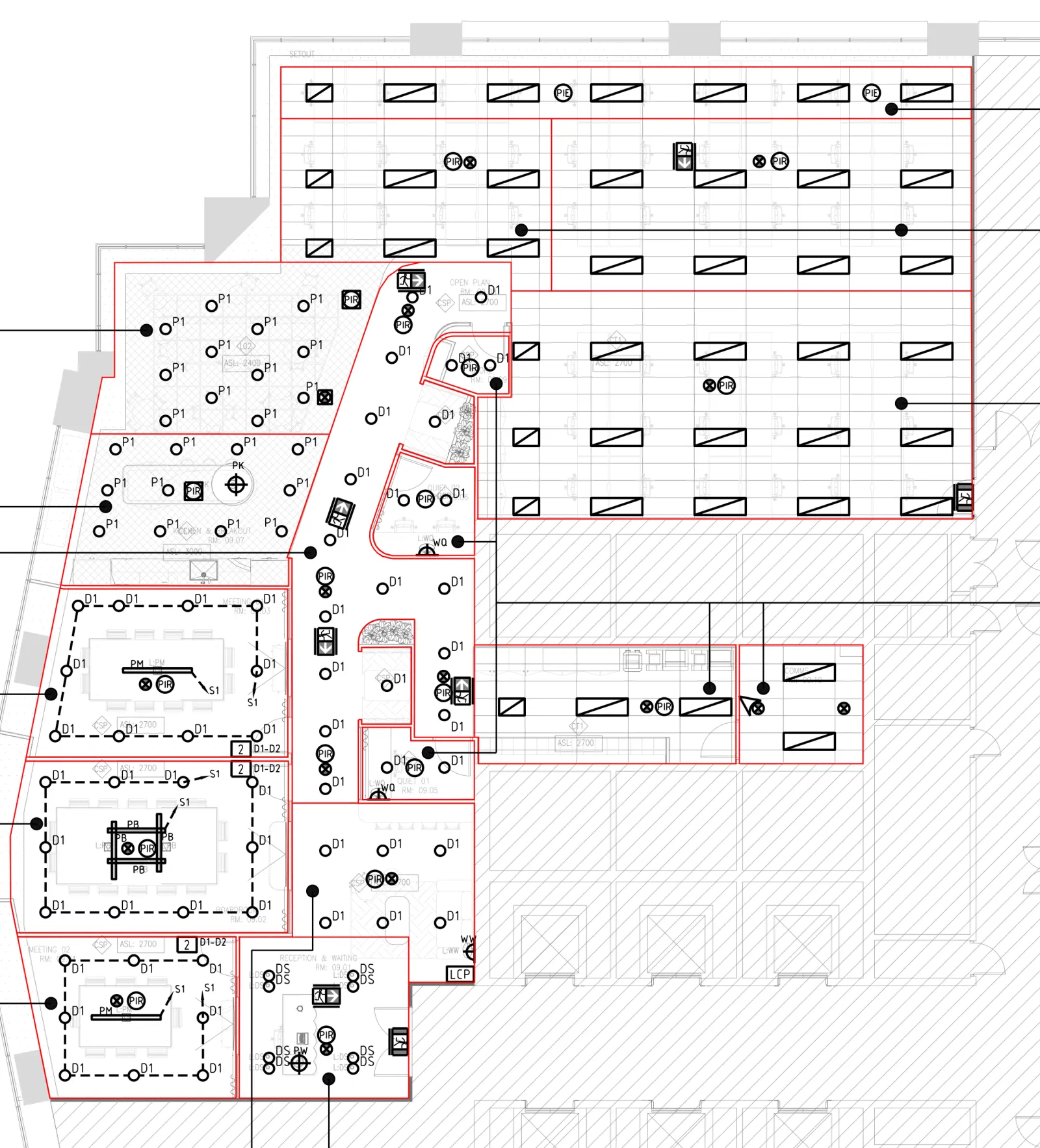
A real job's take-off. Every mark is a counted item in its true position, and it raised three questions for the engineer.
Runs inside the software your office already uses.








Save 80% of your time on quoting, costing and job tracking.
And watch the profit on every job while it runs. Each system is built around your documents, your templates and your sign-offs.
Drawing take-offs
Reads the architectural set and returns per-trade quantities, with marked-up drawings so your estimator can check every count.
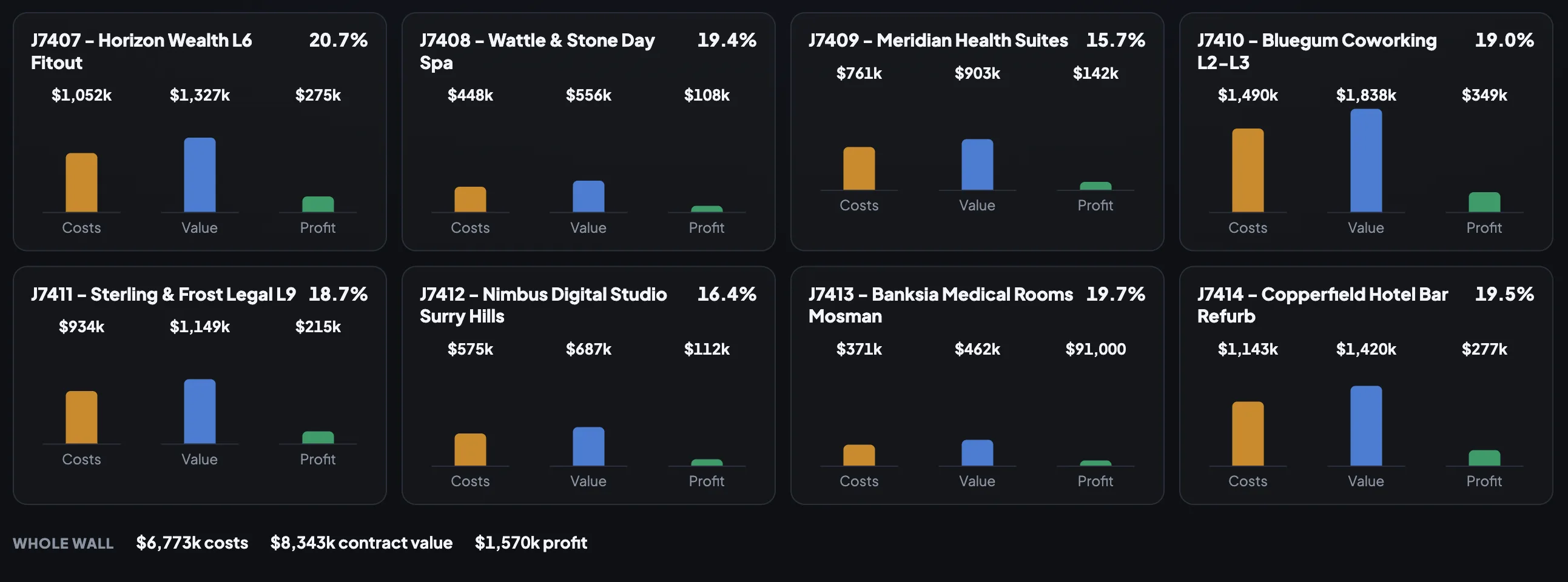
Live dashboards
Every running job with its costs, value and profit, live on the office wall. The whole business's margin at a glance.
Quotes
Supplier prices in, client quote out. Priced, checked and ready to issue.
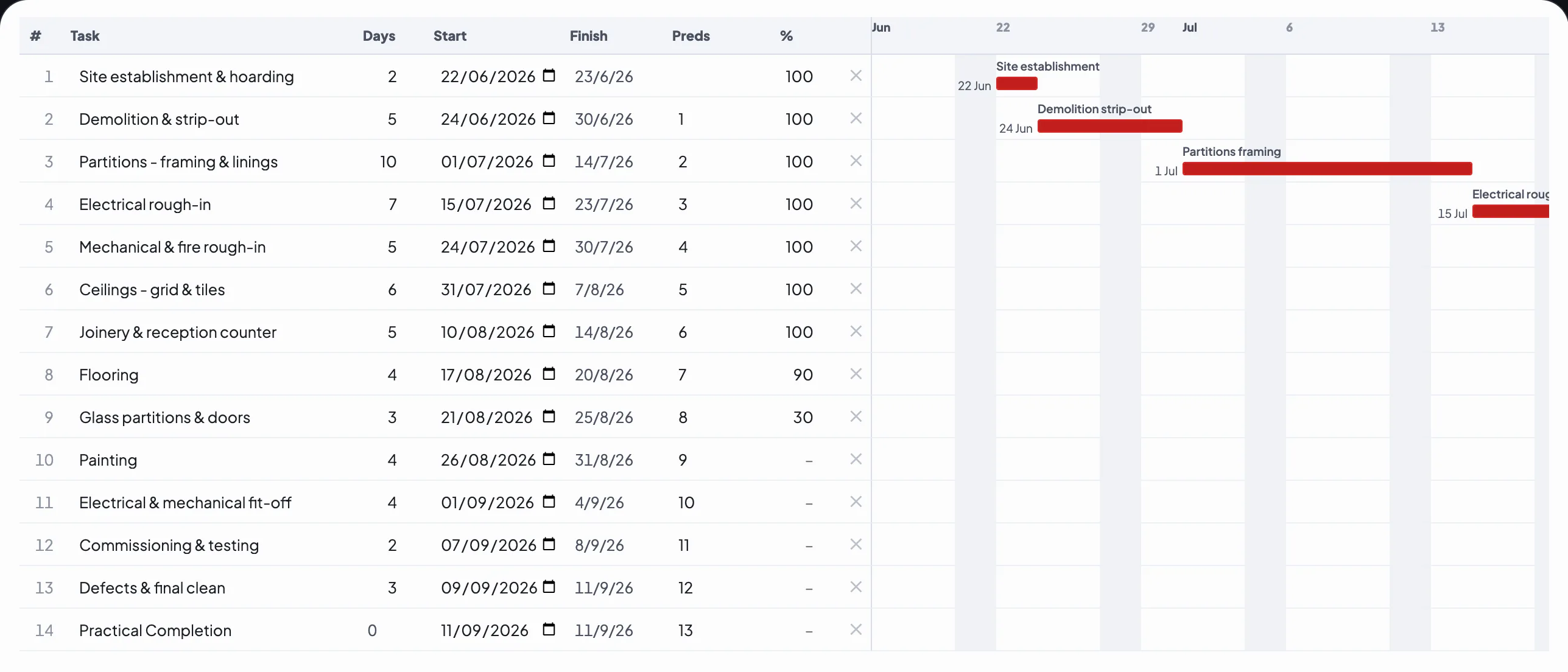
Construction programs
Gantt programs drafted in minutes and issued in the format your clients already know.
Filing, done for you
Every quote, workbook and contract lands in the right job folder on its own. Nothing goes missing.
System screens shown run an example dataset.
Ask it like you'd ask a team member.
You tell the system what you need, in plain English, and the work comes back done and filed where your office already keeps it.
Run it from anywhere.
The same chat on your phone. Set up a job from site, issue the quote from the car, and the agents keep working after you knock off.
Replayed from the Equipe office system. The names and figures are its example dataset.
Your entire business on one board.
Every job moves across the office wall, from tender to paid, with its money in view the whole way. Open one and its entire life is on the page.
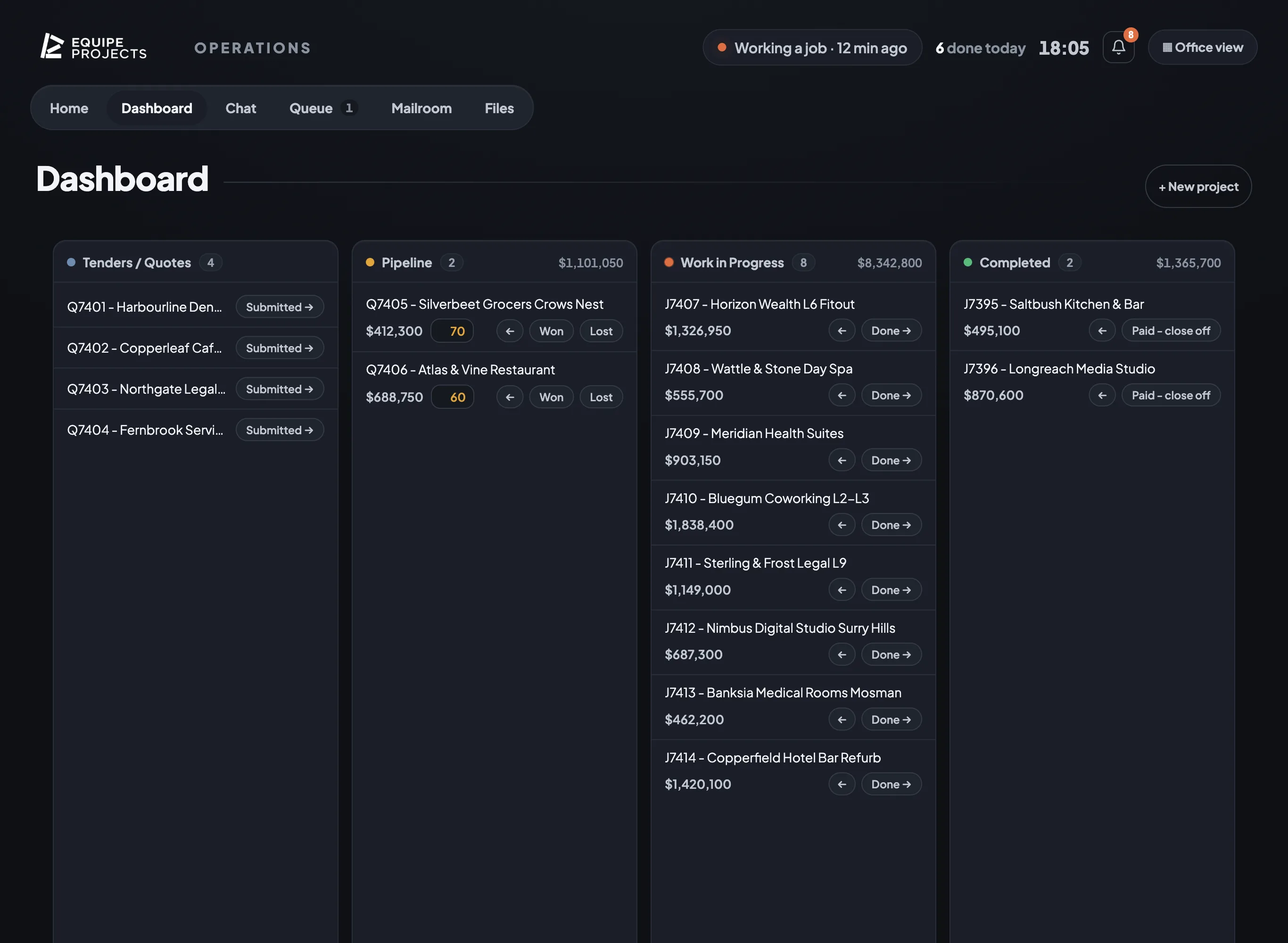
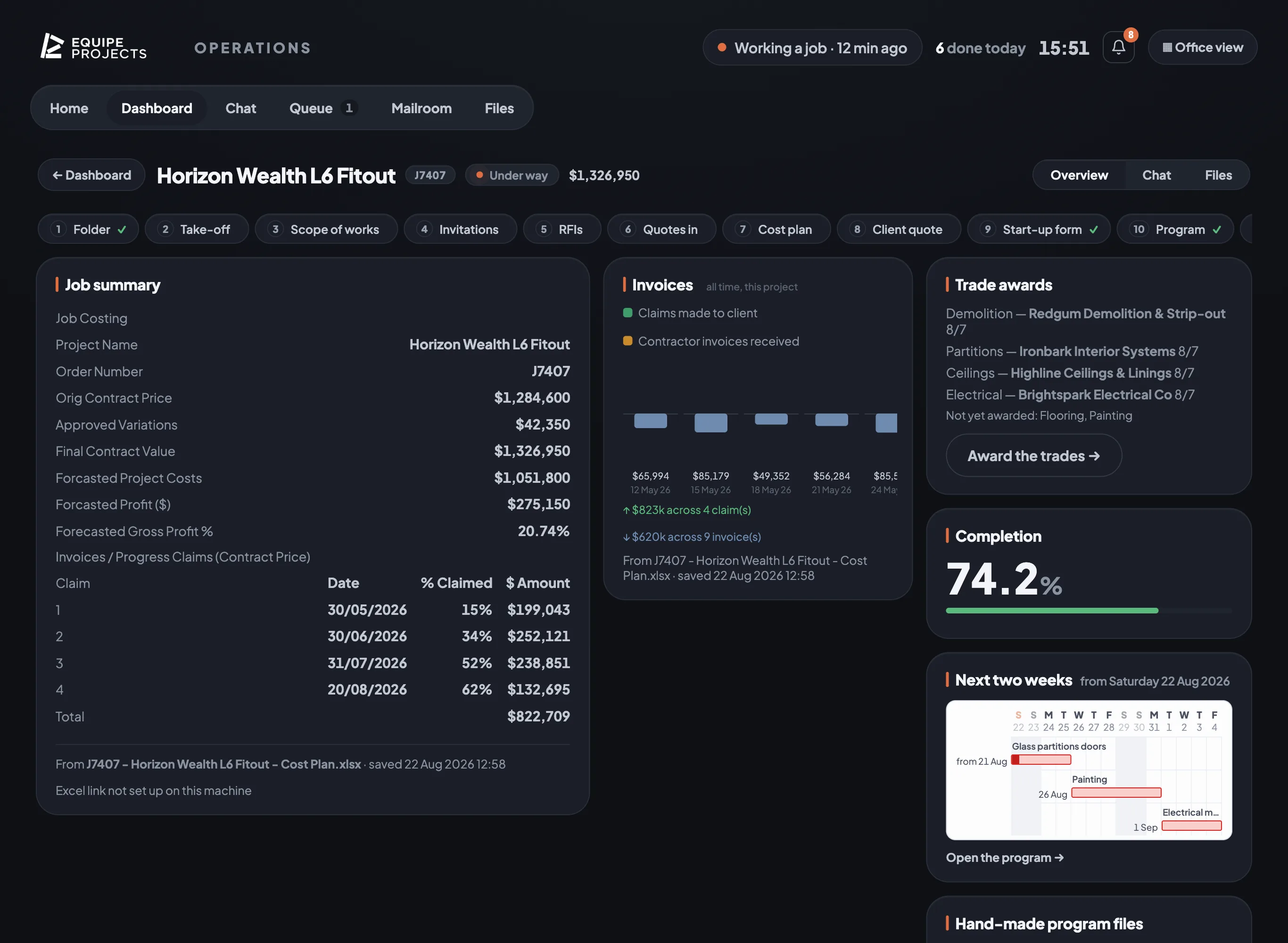
Screens shown running an example dataset.
Watch it run a real job.
One system, five automations, built for a commercial fit-out head contractor. It reads the drawings, prices the quotes, checks the contracts, drafts the program and files everything exactly where the office already keeps it.
Built where the work happens.
EQ Systems was built inside the office of a commercial fit-out head contractor in Sydney. Not in a software lab. In theirs.
We sat beside the estimators, took the jobs they dreaded, and built software that does the work their way: their drawings, their workbooks, their contracts, their program format.
That system has now run their office every day for a year. Yours is next.
One office, one system
- Take-offs & tendering
- Quotes & cost plans
- Contracts
- Construction programs
- Invoices & accounts
- Inbox, filing & follow-ups
Whatever eats your office's week, we build the system that does it, one job at a time, around your templates and your sign-offs.
Measure it on your own jobs.
Book a call and bring one live job. We will show you what comes back.